- Home
- Technical Writing
- Seven AEM Capabilities
Making Sense of 7 AEM Capabilities: Tradeoffs and Where Each One Fits
By Jack Jin · June 4, 2025 · Updated October 4, 2026 · 9 min read
When AEM comes into a project, the team usually lines up behind one architecture, not all seven. This puts all seven side by side: Classic AEM 6.5, AEM as a Cloud Service, the SPA SDKs, headless Content Fragments with Universal Editor, Universal Editor with Sites, Universal Editor with Edge Delivery Services, and docs-based Edge Delivery. The matrix covers authoring, rendering, storage, delivery and analytics, then I get into when Universal Editor beats the Sites Editor and where each option fits. It's meant to help technical leads ask better questions before a team commits.
What changed since I wrote this

Why no sales slide shows all seven
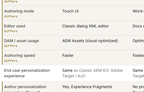
The seven options, side by side
Where Adobe and providers agree
My spicier takes
No single pattern wins
What changed since I wrote this
In July 2025, Adobe added a third supported way to author Edge Delivery sites, da.live, then in early access. I wrote up the three Edge Delivery authoring options and said this title should say 8 capabilities now: Making sense of the three EDS offerings. Adobe has since renamed Document Authoring to Experience Workspace, and its guide Where to author your site now lists four places to author an Edge Delivery site: Experience Workspace, Microsoft SharePoint, Google Drive, and Universal Editor in AEM Sites.
The "Backend dev in AEM" row for the two Edge Delivery columns needs an asterisk too. In 2026 I built Google sign-in on an Edge Delivery site with AEM Edge Functions, code Adobe runs on its CDN in front of the site: AEM Edge Functions on a laptop. That still isn't backend development in AEM, but it's server-side code on Edge Delivery again.
The matrix and opinions below are what I published in June 2025. I only wrote out the check marks and warning signs as words.
Why no sales slide shows all seven
When consulting companies go to market, we pick a few of these options to bring to customers. Some because the customer asked for them. At best, we bring what we think is best for the customer. At worst, we focus on what we can execute on.
I don't imagine all seven ever make it onto a single sales slide, from Adobe or from any consulting firm. Winning work is about storytelling and building a narrative. A slide with all seven, shown out of context, will distract and confuse.
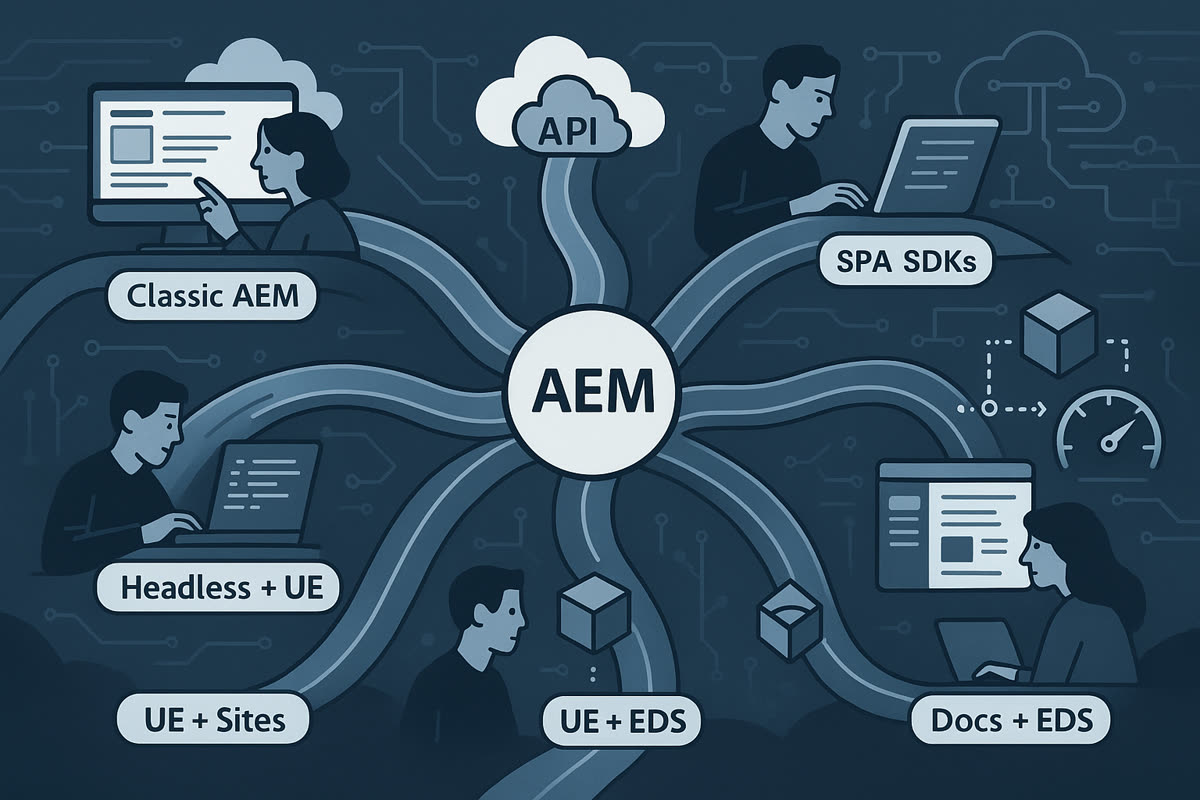
One AEM, many roads out of it. Header art from the original post.
If Adobe ran a workshop and the client decided on Edge Delivery Services, service providers will bring EDS stories. If a long-time consulting team decided on headless, then headless becomes the focus of Adobe's storytelling too.
At best, consulting firms have the breadth to bring the best solution to the client. Leaner Adobe partners may have to bring what they know, or what they have staffing for.
To me, the big picture of all of Adobe's offerings often gets lost in that process. Seeing the whole map helps my technical brain. I hope it helps yours too, without reading a 20-page readout.
The seven options, side by side
The matrix puts the seven options in columns and the features in rows, from two perspectives: functional (authoring and the end user experience) and non-functional (technical, infrastructure and analytics). I split each into traditional and modern options so a table fits on a screen. Sample sites are the public examples I pointed to in June 2025, my employer's own sites or Adobe references. Some of this is up for debate; when I published it, I asked people to discuss it in the comments so I could learn and update the chart. Each option has tradeoffs across the authoring experience, the delivery model, backend extensibility and real-world publishing speed.
Seven columns are hard to read at once. Pick two options below and the rows line up side by side, with the rows where they differ marked. It opens on AEM as a Cloud Service against docs-based Edge Delivery, the two ends of the range, where almost every row differs. Tick "Only rows that differ" to see just the tradeoffs.
Functional, authoring and end user experience
Non-functional: technical, infrastructure and analytics
.model.json (or a custom servlet).model.json.model.json.model.json endpointsdecorate.jsdecorate.js.model.json, or extend typical sites without dialogs.model.json, .infinity.json.md.mdOne note on the "UE with AEM Sites" column: its HTML is rendered by AEM and enhanced through .model.json endpoints, which is different enough that I said at the time I could make this article eight capabilities.
Where Adobe and most service providers agree
These are the Adobe perspectives I see generally aligned across service providers:
- Universal Editor is no longer experimental. When properly instrumented, it can edit in context everything from page content to Experience Fragments.
.model.jsonis still foundational for Sites and SPA use, and developers must define content models carefully to support authoring and preview. It's the OG omnichannel option after.-1.json, the raw dump of the JCR, which I've heard of people using as renderable data for the frontend.- Document-based authoring in Edge Delivery is fast, scalable and predictable. It doesn't support personalization or omnichannel out of the box, but it has the lowest friction for publishing.
- Edge Delivery moves away from rendering every request on a server, toward content generated ahead of time and cached at the edge. That's what makes it fast.
- GraphQL with persisted queries is the direction Adobe is pushing for headless. It brings structure, cacheability and security. I go into the caching side in the headless article.
- Most developers underestimate the effort to fully enable Universal Editor. It's not a toggle. It's a shift in the development workflow, with frontend partners building dialogs and maybe even model definitions.
Instrumenting has a concrete meaning. Adobe's getting started guide has every page carry a meta tag pointing at the AEM connection and load Adobe's cors.js script, and every editable element carry data-aue-resource, data-aue-type and data-aue-prop attributes that tie it to the content behind it. Somebody has to add those to every component the authors should be able to touch.
When Universal Editor beats the Sites Editor, and when it doesn't
While I built the matrix, I checked an Adobe slide that summed up the three editors against my notes. Its claims held up:
- The Content Fragment Editor is built into AEM, form-based, decoupled from any UI and focused on headless. It's schema-based and mostly used with GraphQL or JSON APIs.
- The Sites Editor is built into AEM, page-based, WYSIWYG with inline editing, tightly coupled to AEM rendering and focused on headful sites. It gets complex for headless, because editable templates and HTL need
.model.jsonto serve content headlessly. - Universal Editor is separate from AEM. It edits both Sites and Content Fragment content inline, supports other backends through extensions (with development setup), supports Edge Delivery Services, and integrates lightly, especially with Edge Delivery and external SPAs.
Universal Editor is less feature-rich than the Sites Editor. It has no editable templates and weaker dialog support. I'd still pick it for headless or hybrid frontends where React or Next.js reads content over APIs, for Edge Delivery, for content reused across web, mobile and kiosks, and wherever the rendering lives outside AEM. The Sites Editor still wins when authors want drag-and-drop layout control, when the site uses editable templates and policies, and when it's built on HTL and Sling Models with heavy use of component dialogs.
One expectation to set early when a client on AEM 6.5 asks about Universal Editor with Sites: the content can likely be migrated, but the components have to be rebuilt, and authoring moves from inside AEM to editing on the live site.
My spicier takes on each option
These are my opinions, not aligned with anyone:
- Sites with Universal Editor is a confusing middle ground. You get in-context editing, but only if your
.model.jsonand instrumentation are airtight. Or you can use.infinity.json, as Adobe's ue-remote-app.adobe.net sample does, which is also confusing. - Headless Content Fragments with Universal Editor has a strong omnichannel story, but it can be overkill if you aren't integrating across multiple touchpoints. As I wrote in Why AEM headless makes sense when frontend teams lead, this pattern fits best when the frontend team is very strong or tightly coupled with another vital system.
- Classic AEM still has one of the best WYSIWYG experiences, but you carry all the weight of on-premise or container-based management. It may not be as cool as Universal Editor, but it's far more functional, and arguably still the best in the industry.
- Docs-based Edge Delivery authoring will scale faster than any other model. It's one of the few models where authoring is so streamlined that content teams can scale independently of deep AEM development.
- Edge Delivery will likely be coupled with other cloud solutions.
- I think moving business logic out of AEM is the right approach overall.
No single pattern wins
No single pattern wins. They all exist for a reason.
Sometimes it's political. Sometimes it's what the client asked for. Sometimes it's the shape of the wedding cake.
But knowing the tradeoffs is vital to the first step of any implementation. Not every project has the luxury of time to evaluate seven options. When you've seen the full map, you can steer better.
This matrix isn't a prescription. It's a way to ask better questions.